Case study / Our own product
RAU-Vision makes the hidden work behind quotations visible.
Building automation quotations often start with a laborious review of technical drawings. RAU-Vision brings detection, manual refinements, supplier choices, and pricing into one workspace, where the user can see what has been found and how the quotation takes shape.
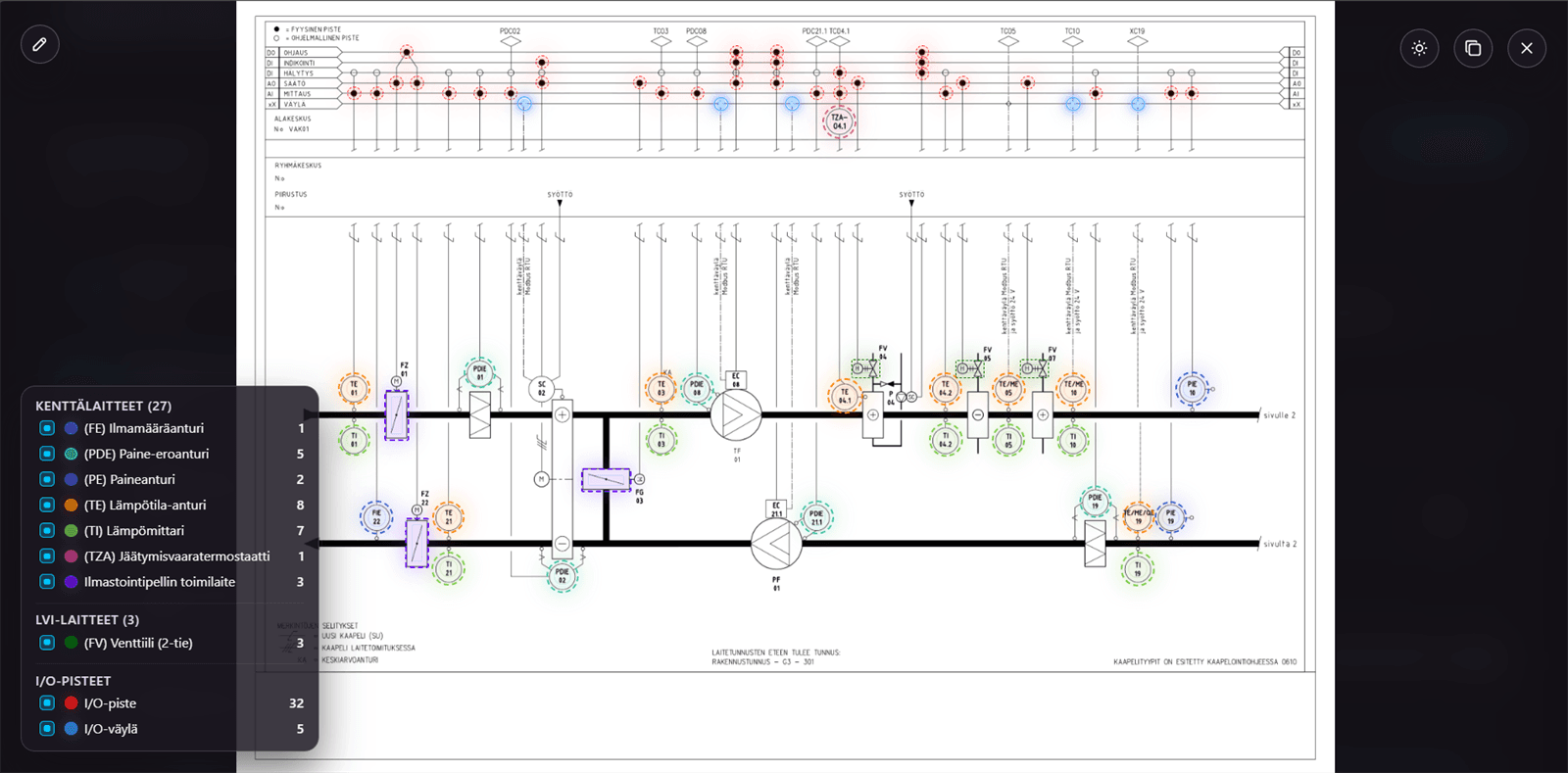
What the image shows
Findings appear directly on the technical drawing, so the user can check and complete them where decisions are made.
Source material
Technical drawings
Preparing a quotation often begins with an extensive set of technical drawings.
Workflow
Preparation → analysis → review → pricing
The user selects the material to analyse, reviews the findings, and moves straight to pricing.
Built by
An in-house Twin Stack product
The product brings together industry expertise, interface design, and continuous development.
Workflow
Four practical stages form the workflow.
The workflow shows how selected drawings become reviewed quotation data ready for pricing.
Select the material
The estimator chooses which documents to analyse and which to leave out.
See the findings
RAU-Vision overlays findings on the drawing so the user can review them in their original context.
Review and refine
Findings can be corrected, completed, and checked manually before they become a quotation template.
Sizing and pricing
Pricing can account for suppliers, control panels, power consumption, valves, and equipment choices.
The story in pictures
See where everyday work becomes easier.
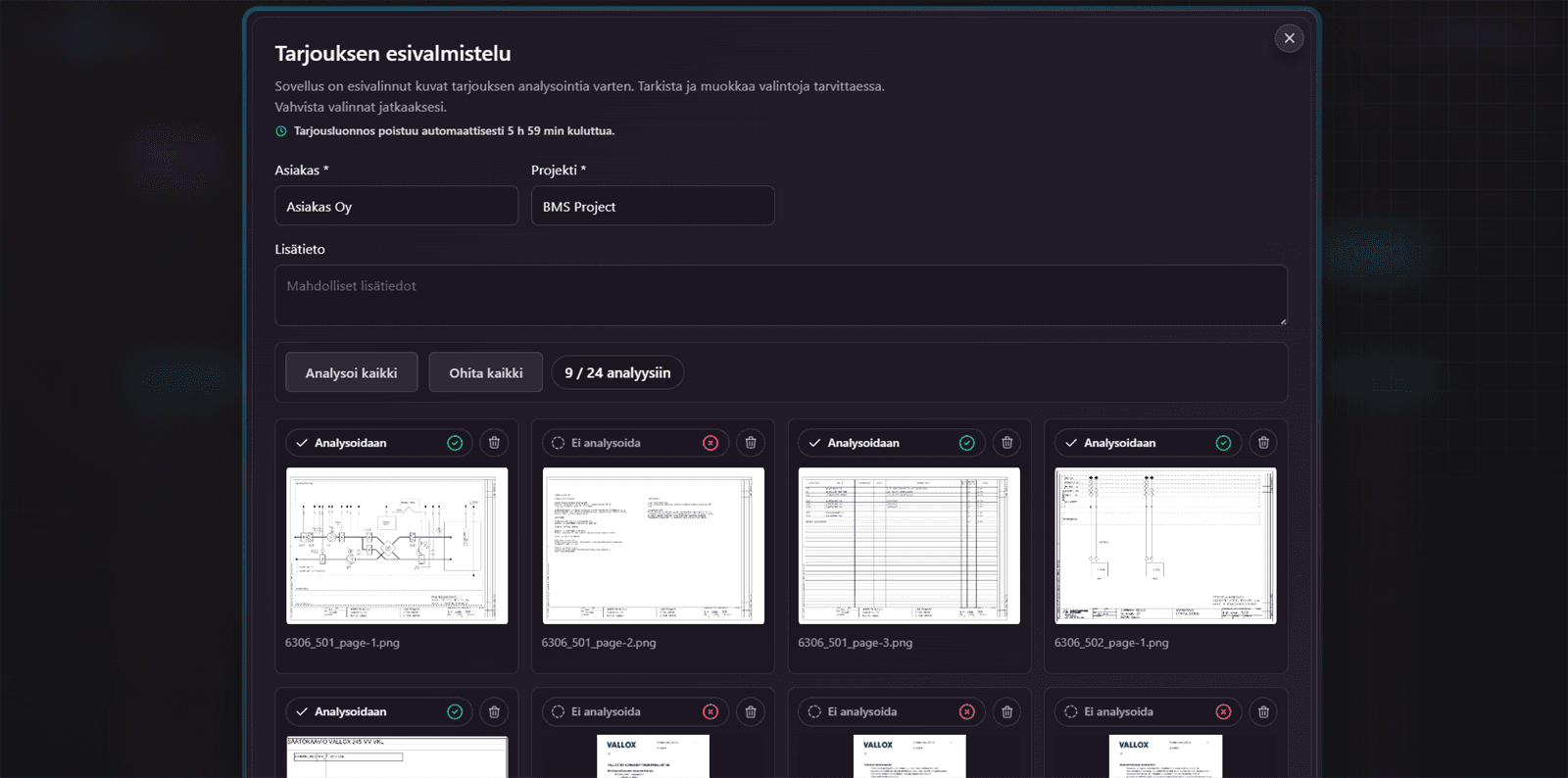
Step 01
The estimator decides what to analyse.
RAU-Vision lets the user review drawings during preparation, choose the documents to analyse, and exclude irrelevant pages.
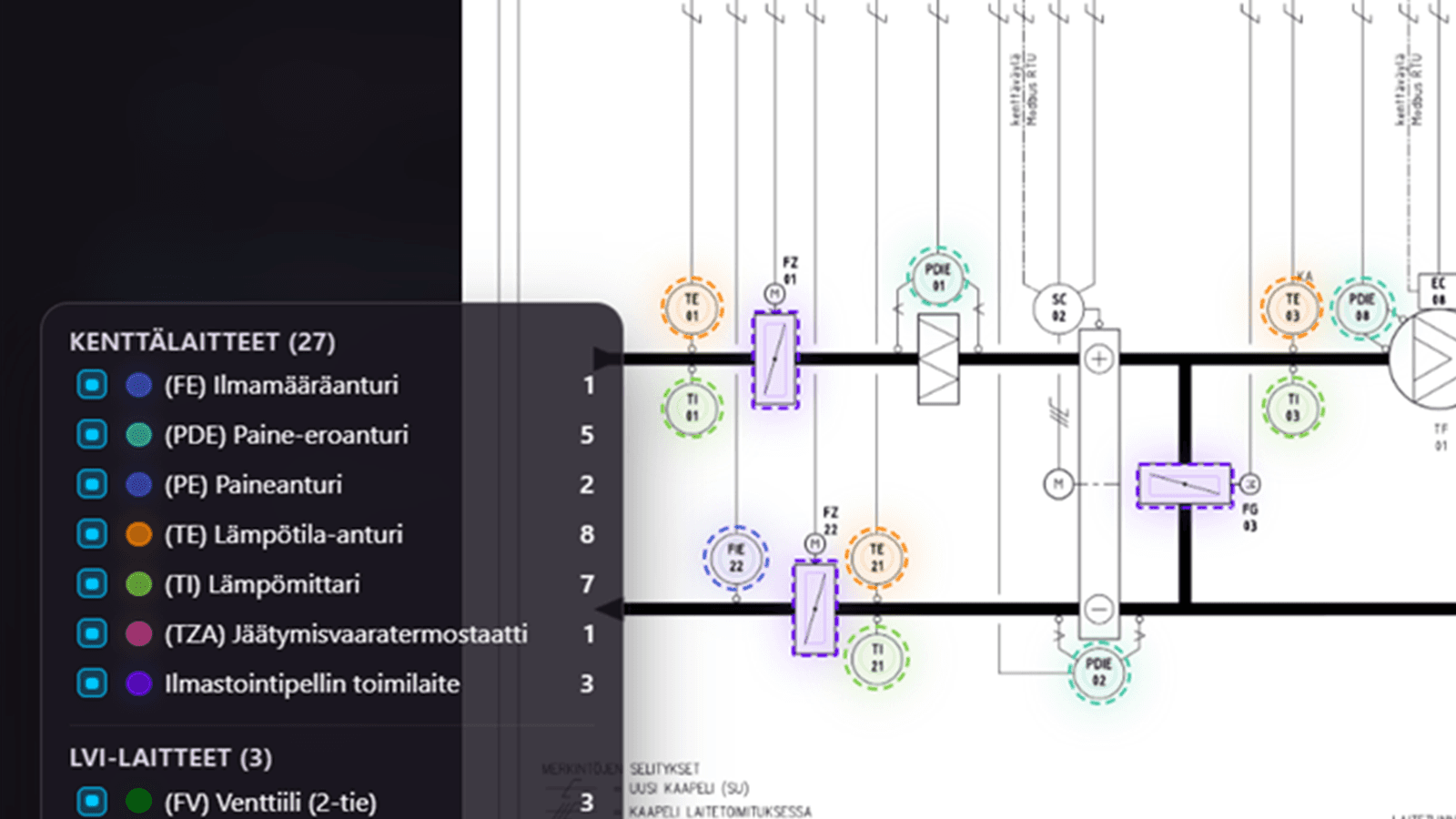
Step 02
Analysis places findings directly on the drawing.
Building automation drawings contain many types of equipment and points. RAU-Vision shows its findings visually so the estimator can immediately see what each finding relates to.
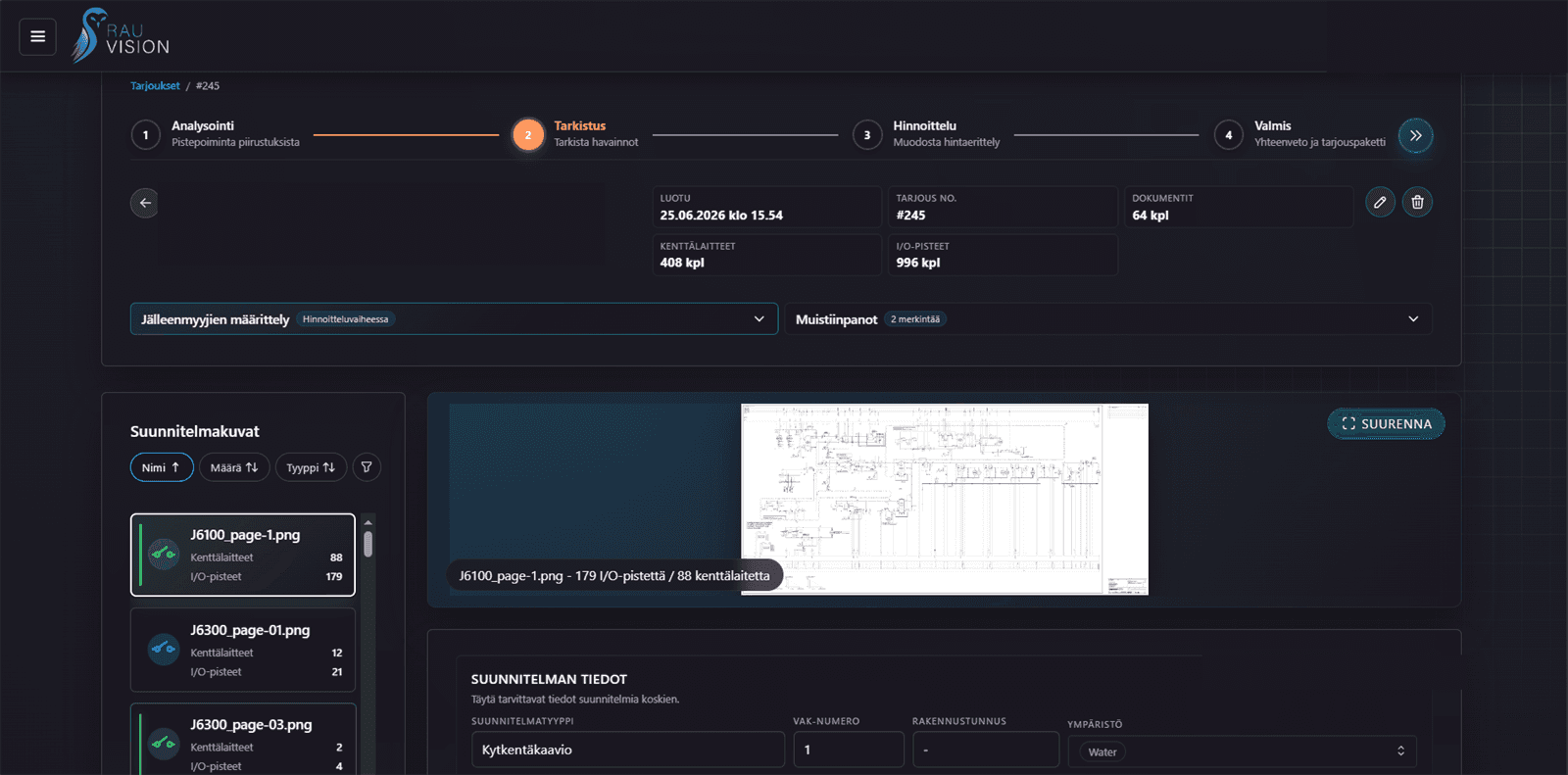
Step 03
The review stage keeps the user in control.
Findings are not final until reviewed. The user can make manual corrections, fill in missing details, and keep the estimate aligned with their own quotation practices.
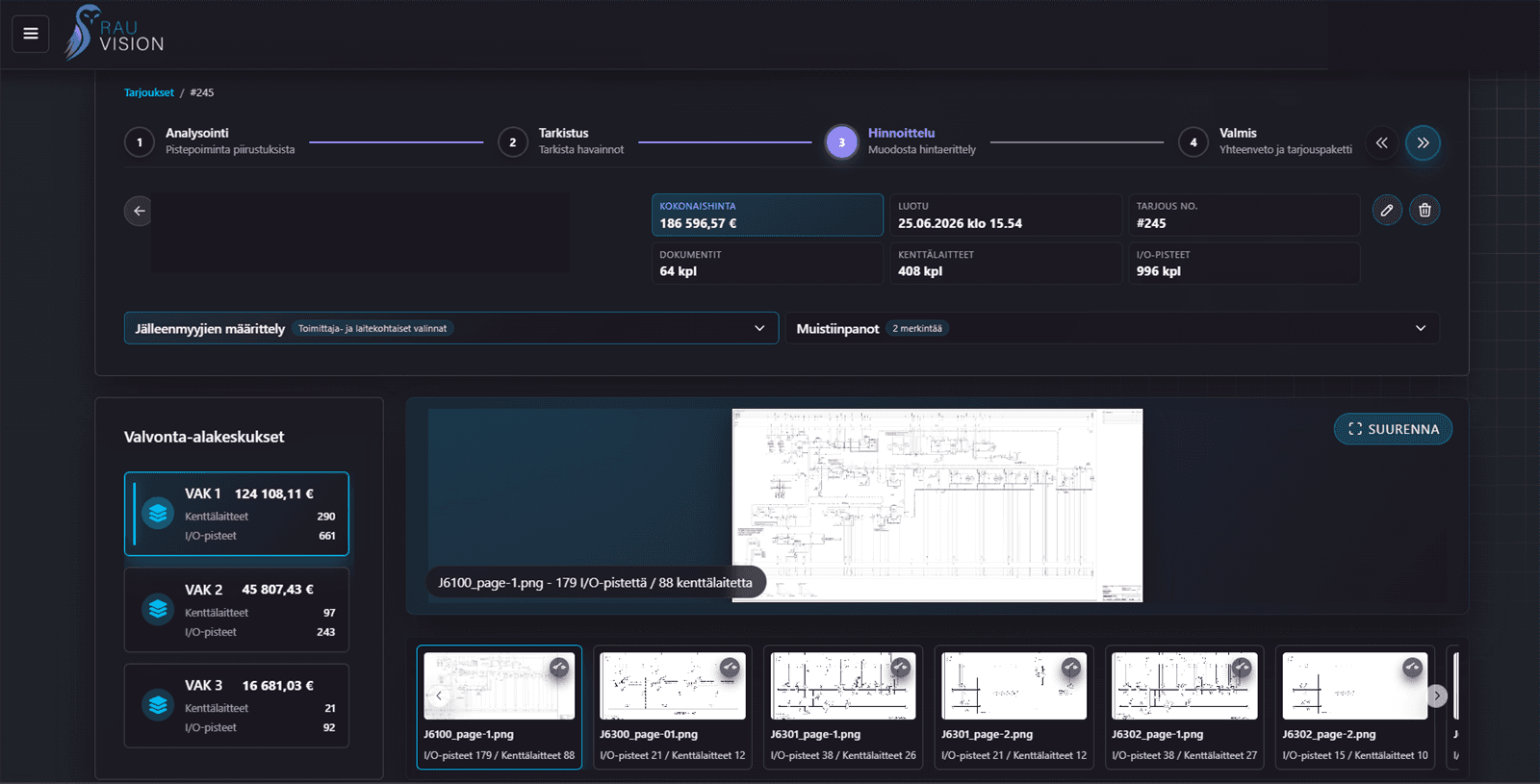
Step 04
Compare suppliers and sizing during pricing.
Equipment catalogues, supplier choices, panel sizes, power consumption, and valve sizing are all part of the same workflow. Switch suppliers and see the effect on the whole quotation without starting a separate calculation.
Pricing support
From detection to a complete quotation.
The practical benefit comes from bringing automation, the estimator’s choices, supplier catalogues, and sizing into the same view.
Manual corrections
Automatically generated findings can be completed and corrected whenever the estimator’s judgement calls for it.
Switch suppliers on the fly
Switch equipment suppliers and explore how each choice affects the total price.
Control panels and power consumption
The application sizes the required control panels and accounts for equipment power consumption and additional power supplies.
Valve sizing
Valve sizing can also be included in the same quotation workflow.
Equipment catalogues
RAU-Vision uses equipment catalogues from multiple suppliers, bringing the options together in one place.
The estimator’s preferences
Advanced heuristics aim to account for the estimator’s choices and guide sizing accordingly.
What this project demonstrates
Software shaped around the way an industry works.
Turning an industry process into a product
The key was to turn the building automation quotation process into an interface that supports the work.
Automation with user control
The product makes findings visible and gives users a way to check, correct, and complete them.
A foundation for future development
The product can evolve step by step as real-world use reveals what to automate next.
The result
Less fragmented manual work. A clearer quotation template.
The next stage
Take the completed quotation wherever the work continues.
RAU-Vision’s value continues after the quotation is calculated. The data can be passed on to procurement, the customer’s systems, or other processes in an agreed way.
A shopping cart for the supplier
Selected equipment can be turned into a procurement shopping cart or a list to send directly to a chosen supplier.
I/O point quantities for the next stage
I/O points, equipment quantities, and other totals can be exported to the customer’s systems in an agreed format.
Data for your own processes
Completed quotation data can be used for procurement, documentation, and internal workflows beyond RAU-Vision.
The next step
A similar workflow can be built for other industries.
RAU-Vision shows how repetitive parts of specialist work can become a clear product: visual source material, review, supplier choices, sizing, and downstream processes in one workflow.